MCP for Agentic AI
Build AI Agents That Understand Poultry
PoultrySync’s Model Context Protocol (MCP) integration enables developers to create AI agents that understand poultry operations and can access farm data intelligently.
What is MCP?
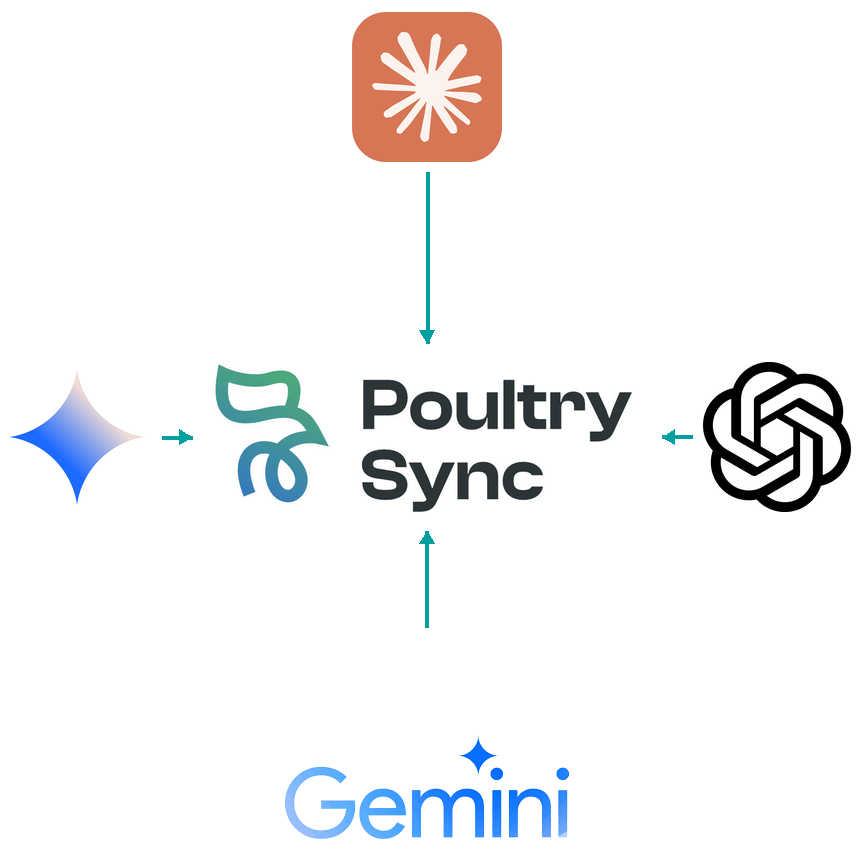
Model Context Protocol is an open standard that allows AI models (like Claude, GPT-4, Gemini) to access external data and systems safely and securely. It’s like giving AI agents “tools” they can use to interact with the real world.
Why MCP for Poultry?
Traditional AI Limitations:
- Generic responses without farm context
- Can’t access real-time data
- No ability to take actions
- Hallucinates about farm specifics
MCP-Enabled AI Agents:
- Understand your specific operation
- Access live farm data
- Execute actions safely
- Provide accurate, contextual insights
Use Cases
Farm Management Assistant
Agent Capabilities:
- Answer questions about current flocks
- Analyze performance trends
- Generate custom reports
- Predict outcomes based on data
- Recommend optimizations
Example Conversation:
User: "How are my flocks performing this week?"

AI Agent (via MCP):
- Queries PoultrySync API for active flocks
- Analyzes current performance vs. targets
- Checks for any alerts or issues
- Generates summary with recommendations

Response: "You have 12 active flocks. Overall FCR is 1.67
(on target). House B3 has elevated mortality (0.15% yesterday)
- I recommend a vet visit. Houses A1-A4 are trending above
target weight and should harvest 2 days early for optimal value."
Veterinary Consultant
Agent Capabilities:
- Review flock health data
- Analyze symptom patterns
- Suggest differential diagnoses
- Recommend treatment protocols
- Track treatment outcomes
Example:
User: "House 5 has respiratory symptoms"

AI Agent:
- Retrieves House 5 flock data
- Analyzes recent mortality trends
- Checks environmental data
- Reviews similar past cases
- Consults disease database

Response: "Based on the data, possible causes are Newcastle
Disease, Infectious Bronchitis, or Mycoplasma. Current
temperature variations (18-26°C daily swing) may be
contributing. Recommend: 1) Vet visit for diagnosis,
2) Stabilize temperature at 22-23°C, 3) Separate affected
birds. I've created a task for your vet and logged this issue."
Financial Analyst
Agent Capabilities:
- Real-time profitability analysis
- Cost optimization suggestions
- Scenario modeling
- Budget tracking
- ROI calculations
Example:
User: "What if feed costs increase 10%?"

AI Agent:
- Retrieves current cost structure
- Models 10% feed cost increase
- Calculates impact on margins
- Suggests mitigation strategies

Response: "A 10% feed increase would reduce margin by $0.12/kg
(18% profit reduction). To offset: Option 1: Improve FCR from
1.67 to 1.60 through better management. Option 2: Negotiate
2.5% higher contract price. Option 3: Reduce cycle length by
2 days. I can model each scenario in detail if you'd like."
MCP Servers Provided
PoultrySync Core Server
Capabilities:
- Farm and house data access
- Flock performance queries
- Feed and inventory information
- Health and mortality records
- Financial data (with permissions)
Tools Available:
{
  "get_flock_performance": "Retrieve current performance metrics",
  "get_daily_data": "Access daily production data",
  "analyze_trends": "Analyze performance over time",
  "get_alerts": "Retrieve active alerts and issues",
  "get_forecast": "AI-powered performance predictions"
}
Poultry Knowledge Base Server
Capabilities:
- Disease information database
- Best practice library
- Feed formulation guidance
- Breed characteristics
- Regulatory compliance info
Tools Available:
{
  "disease_lookup": "Get disease information",
  "treatment_protocol": "Retrieve treatment protocols",
  "best_practice": "Access industry best practices",
  "breed_info": "Get breed specifications",
  "compliance_check": "Check regulatory requirements"
}
Action Server
Capabilities:
- Create tasks and reminders
- Schedule activities
- Send notifications
- Generate reports
- Update records (with permissions)
Tools Available:
{
  "create_task": "Create task for team member",
  "schedule_visit": "Schedule farm visit",
  "send_alert": "Send notification to user/team",
  "generate_report": "Create custom report",
  "update_record": "Modify farm data (restricted)"
}
Getting Started
1. Install MCP Client
For Claude Desktop:
// claude_desktop_config.json
{
  "mcpServers": {
    "poultrysync": {
      "command": "npx",
      "args": ["-y", "@poultrysync/mcp-server"],
      "env": {
        "POULTRYSYNC_API_KEY": "your_api_key_here"
      }
    }
  }
}
For Custom Applications:
npm install @modelcontextprotocol/sdk @poultrysync/mcp-server
2. Configure Access
import { MCPServer } from '@poultrysync/mcp-server';

const server = new MCPServer({
  apiKey: process.env.POULTRYSYNC_API_KEY,
  farmIds: ['farm_123', 'farm_456'], // Optional: restrict to specific farms
  permissions: {
    read: true,
    write: false,  // Recommend read-only for most agents
    admin: false
  }
});
3. Create AI Agent
from anthropic import Anthropic
import mcp

client = Anthropic(api_key="your_anthropic_key")

# Connect to PoultrySync MCP server
mcp_client = mcp.Client("poultrysync")

# Create agent with PoultrySync tools
response = client.messages.create(
    model="claude-3-5-sonnet-20241022",
    max_tokens=4096,
    tools=mcp_client.get_tools(),
    messages=[{
        "role": "user",
        "content": "What's the FCR trend for Farm 123 this month?"
    }]
)

# Agent will use MCP tools to query PoultrySync and respond
Advanced Examples
Custom Farm Monitoring Agent
// autonomous-monitor.js
import { MCPServer } from '@poultrysync/mcp-server';
import { Anthropic } from '@anthropic-ai/sdk';

class FarmMonitorAgent {
  constructor(farmIds) {
    this.mcp = new MCPServer({
      apiKey: process.env.POULTRYSYNC_API_KEY,
      farmIds
    });
    this.ai = new Anthropic({
      apiKey: process.env.ANTHROPIC_API_KEY
    });
  }

  async dailyCheckup() {
    const prompt = `
      Analyze all active flocks and identify any issues requiring attention.
      For each issue:
      1. Assess severity
      2. Recommend action
      3. Create task if needed

      Provide a summary email for the farm manager.
    `;

    const response = await this.ai.messages.create({
      model: 'claude-3-5-sonnet-20241022',
      max_tokens: 8000,
      tools: this.mcp.getTools(),
      messages: [{ role: 'user', content: prompt }]
    });

    return response.content;
  }
}

// Run daily at 6 AM
const agent = new FarmMonitorAgent(['farm_123']);
setInterval(() => agent.dailyCheckup(), 24 * 60 * 60 * 1000);
Multi-Agent System
# multi_agent_system.py

class AnalystAgent:
    """Analyzes farm performance data"""
    role = "performance_analyst"

class VetAgent:
    """Focuses on health and disease"""
    role = "veterinarian"

class FinanceAgent:
    """Handles cost and profitability"""
    role = "financial_analyst"

class CoordinatorAgent:
    """Routes questions to appropriate specialist"""

    def route_question(self, question):
        # Use AI to determine which specialist to consult
        if "health" in question or "disease" in question:
            return VetAgent()
        elif "cost" in question or "profit" in question:
            return FinanceAgent()
        else:
            return AnalystAgent()
Security & Permissions
API Key Scoping
Create separate API keys for different agents with appropriate permissions:
// Read-only agent for reporting
const reportAgent = {
  apiKey: "pk_readonly_...",
  permissions: ["read:farms", "read:flocks", "read:performance"]
};

// Action-enabled agent for task management
const taskAgent = {
  apiKey: "pk_actions_...",
  permissions: ["read:farms", "write:tasks", "write:notifications"]
};
Audit Logging
All MCP tool calls are logged:
{
  "timestamp": "2025-01-15T10:30:00Z",
  "agent_id": "agent_farm123_monitor",
  "tool": "get_flock_performance",
  "params": {"flock_id": "flock_456"},
  "user": "system",
  "result": "success"
}
Rate Limiting
MCP servers respect standard API rate limits. Implement client-side caching for frequently accessed data.
Best Practices
1. Provide Context
Give agents clear instructions about their role:
You are a poultry farm management assistant with expertise in
broiler production. You have access to real-time farm data and
should provide practical, actionable advice based on industry
best practices and the specific farm's historical performance.
2. Validate AI Decisions
For critical actions, require human approval:
if (action.type === 'medication_order' || action.cost > 1000) {
  await requestHumanApproval(action);
}
3. Monitor Agent Behavior
Track what tools agents are using and how often:
analytics.track('mcp_tool_usage', {
  tool: 'get_flock_performance',
  frequency: 'high',
  agent: 'daily_monitor'
});
4. Graceful Degradation
Handle API failures gracefully:
try:
    data = mcp.get_flock_performance(flock_id)
except MCPError:
    return "I'm unable to access farm data right now. Please try again later."
Resources
Documentation
Tutorials
- Building Your First Farm AI Agent
- Multi-Agent Farm Management System
- Voice-Activated Farm Assistant
- Slack Bot Integration
Community
- MCP Forum
- Discord Channel
- Monthly Developer Office Hours
Pricing
MCP Access
- Included: Professional and Enterprise tiers
- API Costs: Standard API rate limits apply
- No Additional Fees: Use any MCP-compatible AI model
Recommended AI Models
- Anthropic Claude: Best for complex reasoning
- OpenAI GPT-4: Excellent general capabilities
- Google Gemini: Good multilingual support
- Self-hosted models: Llama, Mistral (privacy-focused)
Get Started with MCP | View Examples
Related Tools:
- APIs - REST and GraphQL APIs
- Workflow Builder - Visual automation
- AI Assistant - Built-in AI features